Background watchers
A long-running operation — an import, a deployment, an order moving through fulfilment — usually ends the same way: re-running the same get by hand until the status finally moves. A watcher does that for you. It polls one get-by-id command in the background and tells you when a field reaches the condition you named.
# Block until the order stops moving, then carry on. The exit code says how it ended.
revenexx watch add --until 'status terminal' -- orders get --id <ORDER_ID> \
  && revenexx products list

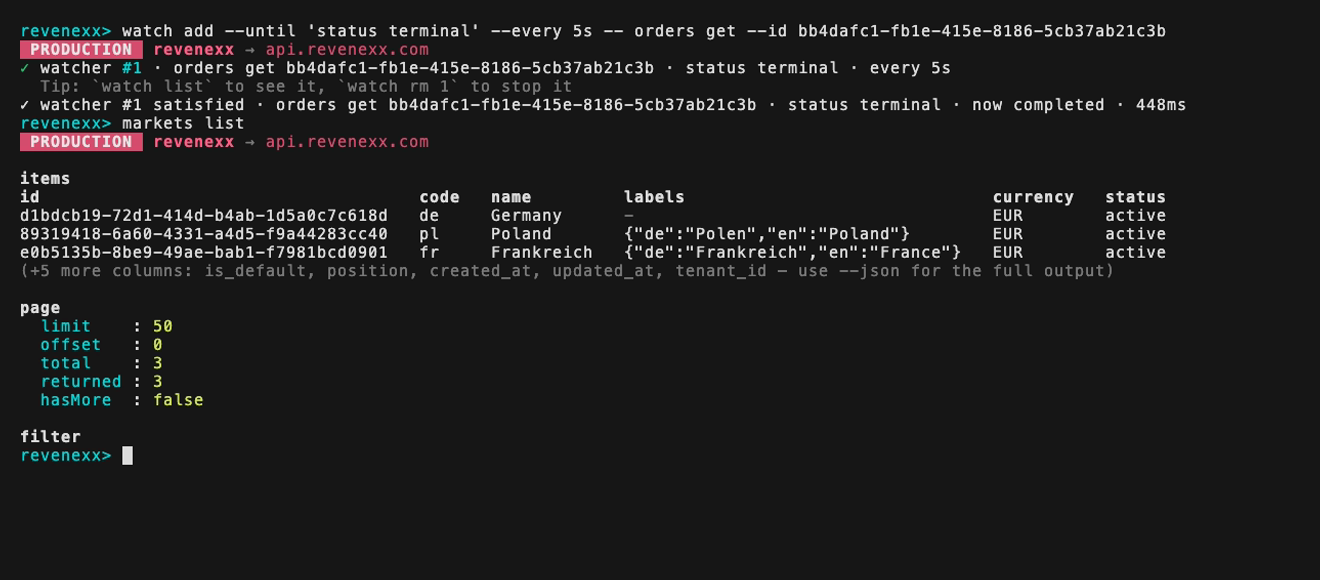
Inside the interactive shell or the full-screen app the same command registers a watcher and hands the prompt straight back, so you keep working while it polls. The watcher prints its own notice when it settles, and rings the terminal bell:
revenexx repl
# revenexx> watch add --until 'status terminal' --every 5s -- orders get --id <ORDER_ID>
Watchers need an interactive terminal. In a script without one, write the loop yourself around <get command> --json — see Scripting & output.
Sub-commands
| Command | Does |
|---|---|
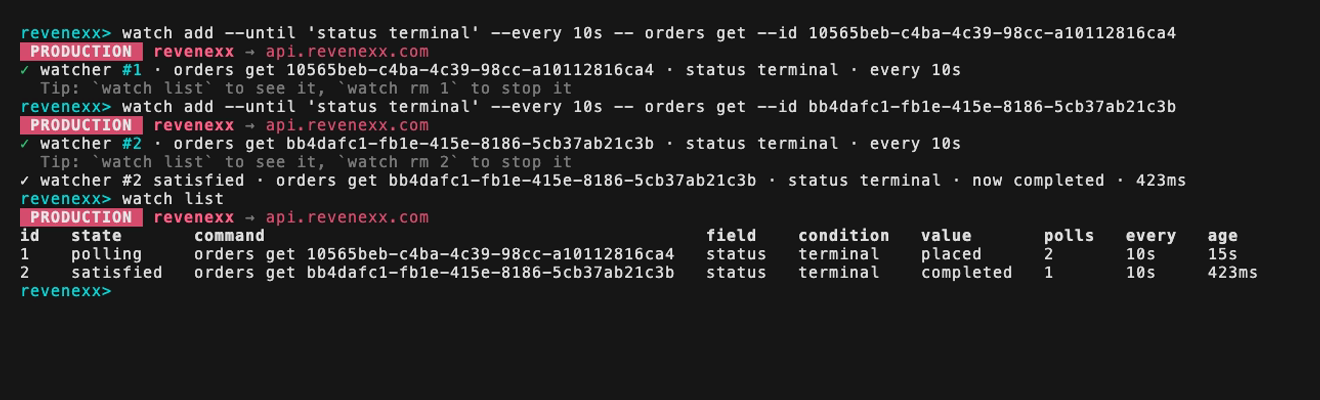
watch add --until <expr> -- <get command> | Start a watcher. Outside a REPL/TUI session it blocks until the watcher settles. |
watch list | Show this session's watchers with live state. Add --json for the full records. |
watch rm <id> | Cancel one watcher. |
watch rm --all | Cancel every active watcher. |
Everything after -- is the command to poll, exactly as you would type it yourself.
Conditions
--until takes an optional field path followed by one condition:
| Condition | Fires when the field… |
|---|---|
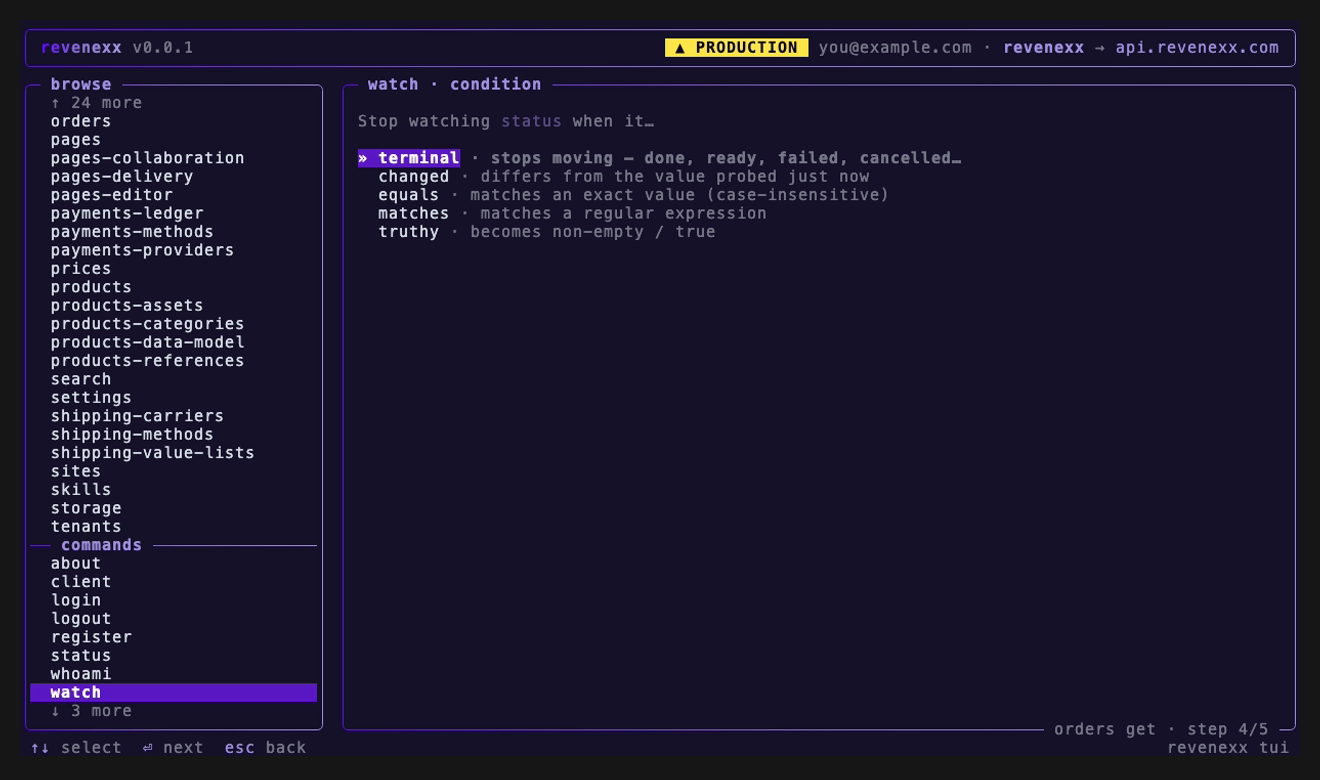
terminal | stops moving — done, ready, succeeded, failed, cancelled, expired, … |
changed | differs from its value on the first poll |
equals <value> | matches exactly, case-insensitively. equals 200 matches the number 200, equals null matches JSON null |
matches <regex> | matches a regular expression. /pattern/flags is accepted too |
truthy | becomes non-empty. [], {}, "", "false" and "0" all count as empty |
terminal deliberately includes the failure sinks as well as the successes. A watcher's job is to tell you the operation stopped, not to wait for it to stop happily — a failed import ends the watcher immediately instead of running out the clock.
Narrow the set per watcher with terminal(ready,failed), or change it for every watcher with the REVENEXX_WATCH_TERMINAL_STATES environment variable (comma-separated).
revenexx watch add --until 'status terminal(ready,failed)' \
  -- apps get-deployment --function-id <APP_ID> --deployment-id <DEPLOYMENT_ID>
revenexx watch add --until 'page.total equals 0' -- orders list --status pending
revenexx watch add --until 'on_hold truthy'      -- orders get --id <ORDER_ID>
The full-screen app offers the same five, with the field you picked in the header:
Field paths
A field path is a dot path into the response body:
| Path | Reads |
|---|---|
status | a top-level field of a single record |
items.0.state | the first row of a list response |
page.total | the total from the pagination envelope |
items.length | how many rows came back |
There is no implicit descent into a list. A bare status against a list response is treated as "no such field", not as "row 0's status" — a page of 50 records has 50 statuses, and which one sorted first is not something the CLI controls or shows you. Say items.0.status when that is what you mean.
A field that is not there yet is not an error. The watcher keeps polling and shows field \status` not present yet, which is what you want when a job's error.message` only materialises on the ninth poll. If it never appears, the watcher ends as a timeout carrying that note.
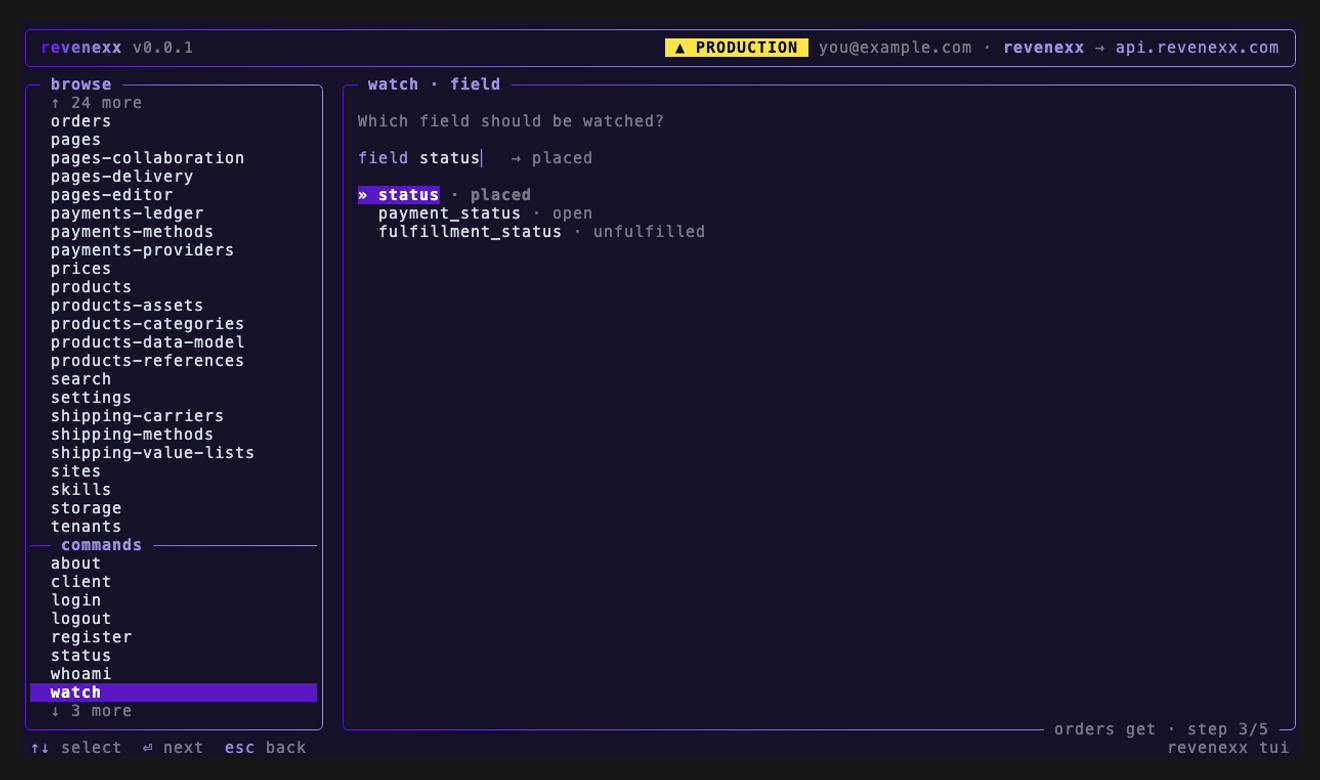
You never have to guess the paths in the full-screen app: it fetches the resource once and offers what that payload actually holds, each with the value it has right now.
Cadence and limits
| Flag | Default | Notes |
|---|---|---|
--every <duration> | 5s | Interval between polls. Floored at 2s. |
--for <duration> | 5m | Give up after this long. |
--field <path> | — | Keep the field path out of --until if you prefer. |
--wait-for-create | off | Treat 404 as "not yet" instead of fatal — for a resource that does not exist yet. |
Durations accept 500ms, 5s, 2m, 1h; a bare number means seconds. The app asks for the same two values, and shows the floor and the defaults next to them:
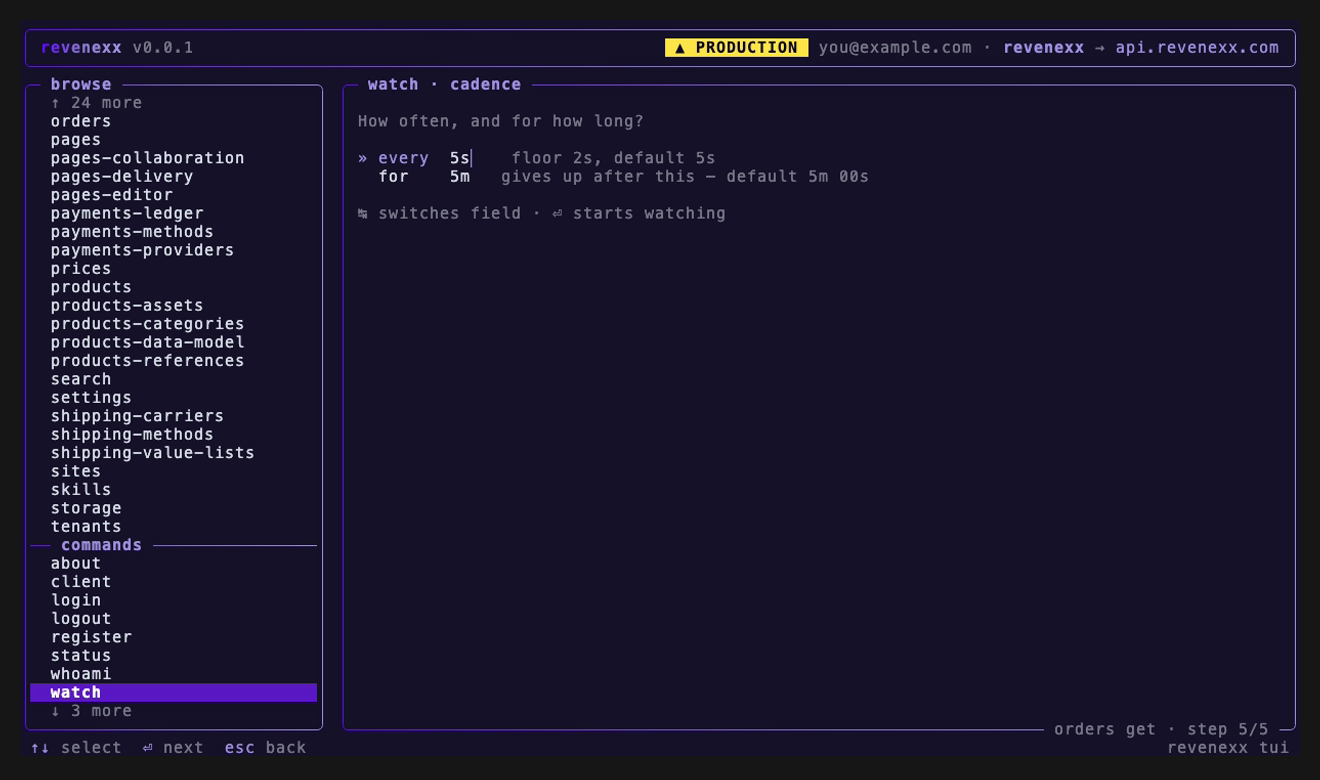
Polling goes through the same transport as every other command, so the request timeout, retry/backoff and 429 Retry-After handling all apply — a watcher will not hammer a rate-limited gateway. On top of that, the interval carries ±15% jitter so watchers started together do not stay in lockstep, and at most 8 watchers run at once.
A poll that is already in flight cannot be cut short, so a watcher can overrun --for by up to one poll.
Exit codes
watch add in its blocking form turns the outcome into an exit code, extending the CLI's exit codes:
| Code | Meaning |
|---|---|
0 | Condition satisfied |
2 | Bad usage — unknown command, unparseable condition or duration |
7 | Timed out before the condition was met |
130 | Cancelled with Ctrl-C |
| other | The failing poll's own code — 4 auth, 5 not found, 8 rate limited |
revenexx watch add --until 'status terminal' --for 10m -- orders get --id <ORDER_ID>
case $? in
  0) echo "finished" ;;
  7) echo "still running after 10 minutes" ;;
  *) echo "failed" ;;
esac
In the full-screen app
The TUI has the same watchers behind two commands you type into the command filter:
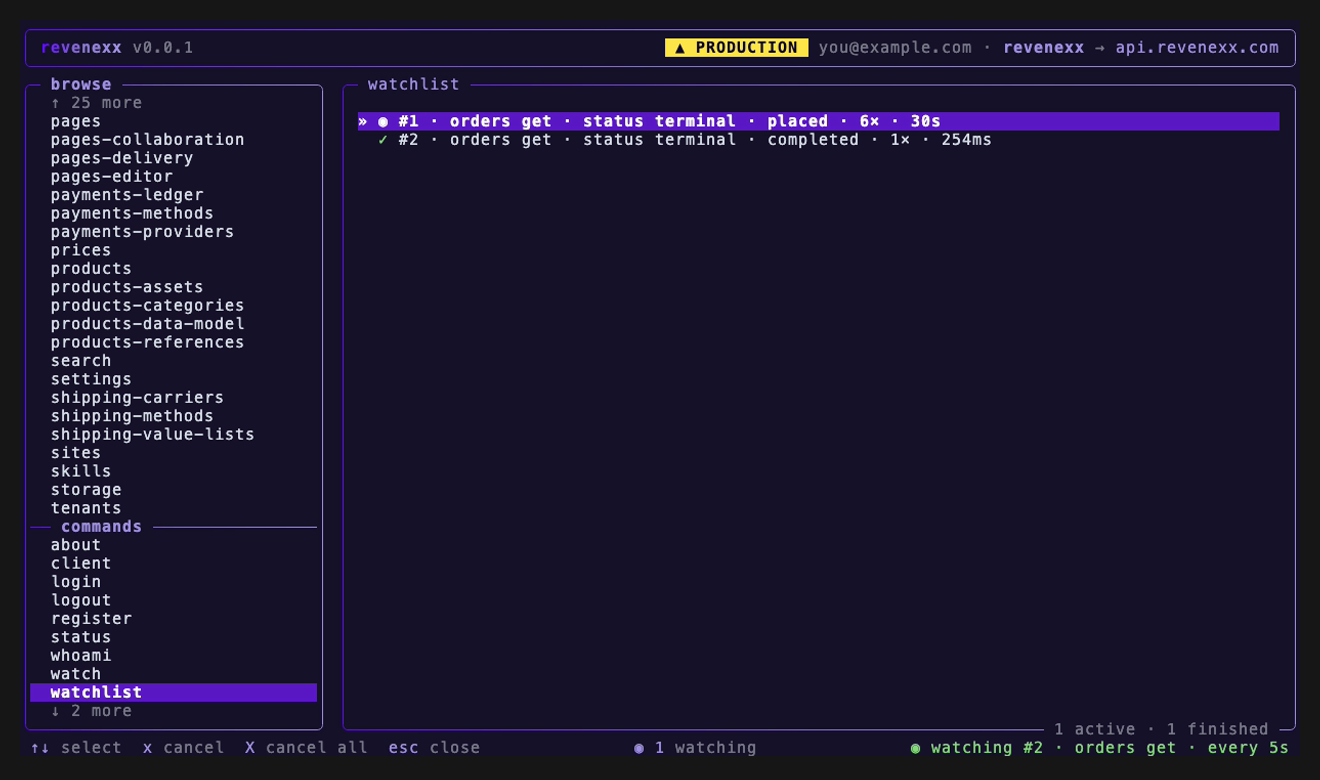
/watchwalks you through creating one: pick a get-by-id command, fill its parameters, and the CLI fetches the resource once so it can offer you the real field names — then pick the condition and the cadence. That first fetch also becomes the baseline forchanged, so it means "different from what you just saw"./watchlistopens the watchlist pane: every watcher with live state, its last value and poll count.↑/↓select,xcancels one,Xcancels all,Esccloses.
The flow opens on the resources it can poll — every get-by-id command in the tree, searchable:
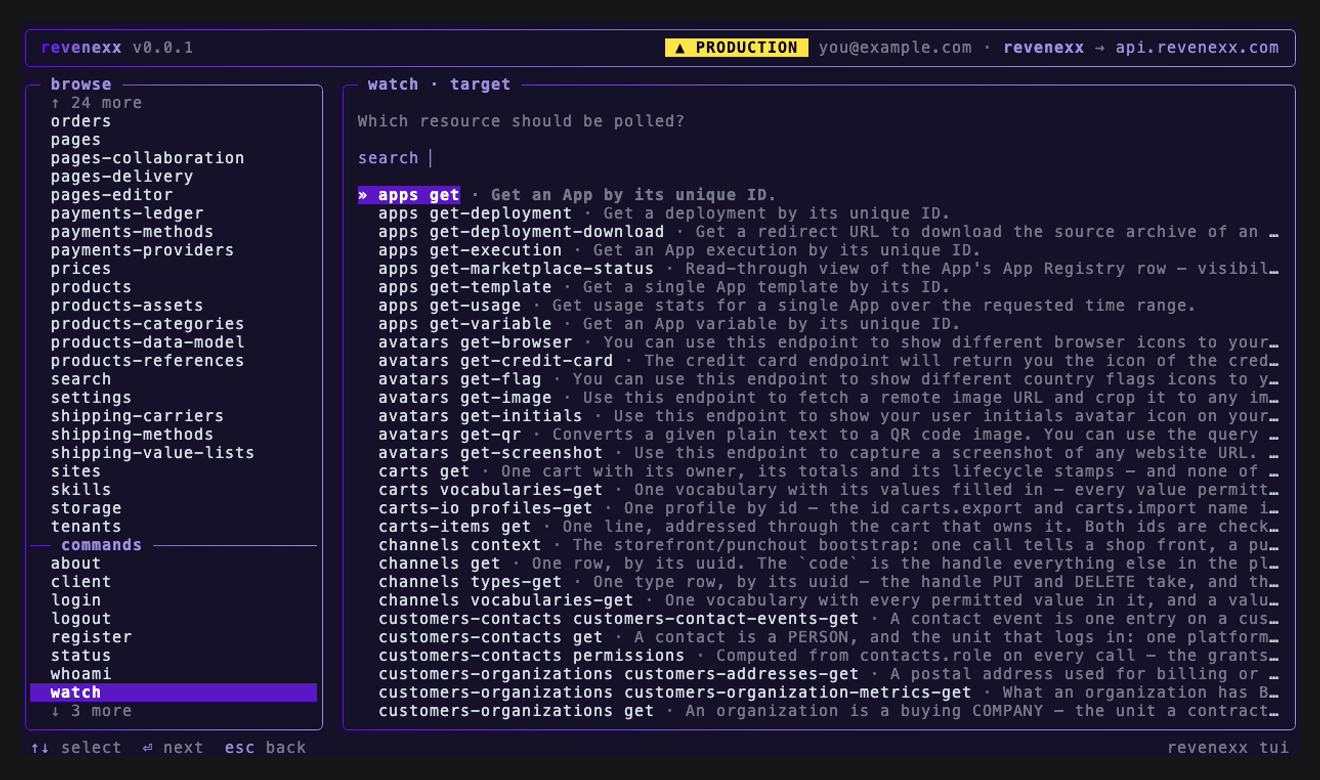
A badge in the status bar counts the active watchers from anywhere in the app, and a completing watcher raises a toast and rings the terminal bell.
Scope
Watchers are session-scoped and in-memory. They live for the length of the repl/tui session, or of the blocking watch add, and are torn down when it exits. Nothing survives the process, and nothing is written to disk.
Polling is the only mechanism today — the gateway has no server push, so there is no websocket or SSE path to wait on instead.