Deploy from Git
revenexx Storefronts allows you to host and deploy storefronts directly within the revenexx platform. Each site can have many deployments, which can be thought of as versions of the web application.
With revenexx Storefronts, you can seamlessly deploy updates from Git repositories, enabling you to track changes to your web app as part of your development workflow. This versioning approach ensures that your storefront stays up-to-date and your deployment process is fully integrated with your source control, streamlining collaboration and updates.
Create deployment
The recommended way to manage your revenexx Storefronts deployments is to use a version control system like Git. This offers simple versioning and collaboration that will easily fit into the rest of your development workflow.
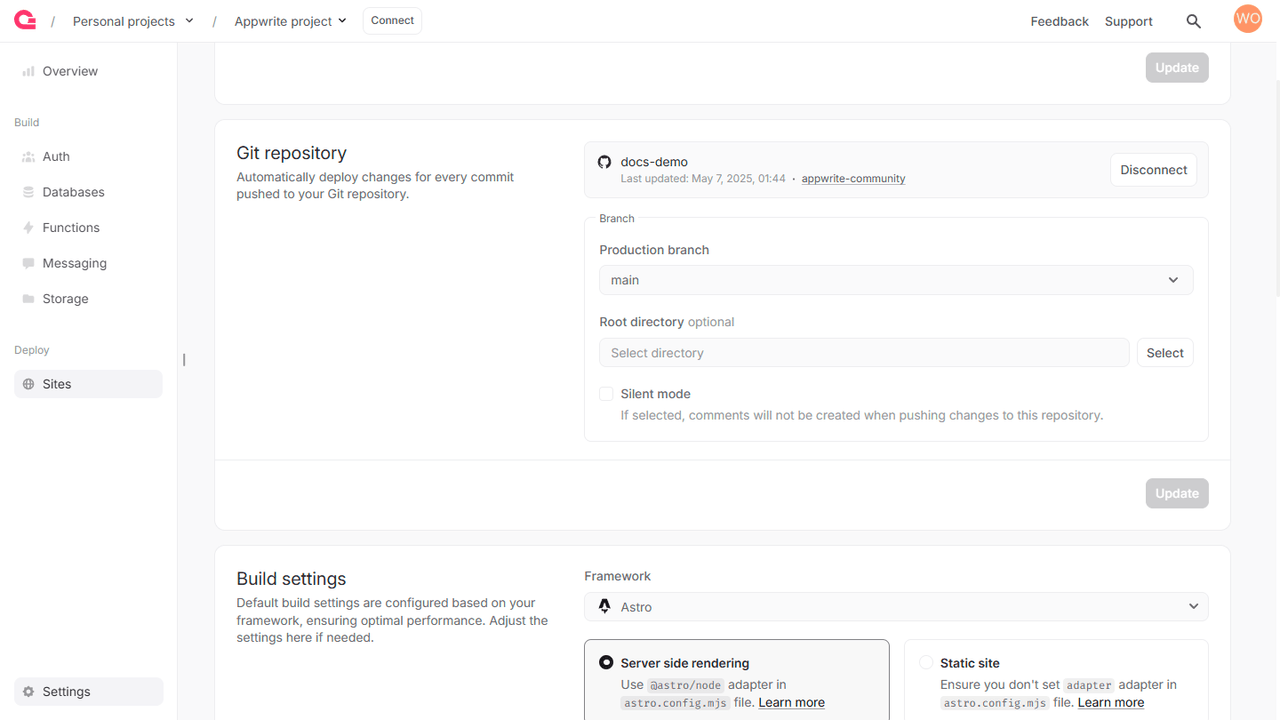
You can only use Git deployment for revenexx Storefronts connected to Git. Create a new storefront with GitHub or connect your existing site to a GitHub repository in your storefront’s Settings > Git repository > Connect Git.
- Using Git, checkout to the branch you configured as the production branch when creating the revenexx Storefront.
- Create a new commit.
- Push the commit.
- A new deployment will be automatically created, built, and activated.
Commits to the production branch
When you push a commit to the production branch, usually main, a new deployment is created, built, and activated. This means the new deployments immediately replace the current active deployment and can be used on your storefront’s primary domain.
Commits to other branches
When you push a commit to a branch other than the production branch, a new deployment is created, but it is not activated. A preview link is generated to test this deployment; however, only authorized users, i.e., members of your revenexx organization, can access this link.
Git configuration
If you need to update your Git configuration, navigate to Sites > your storefront > Settings > Git repository.
Install command
The install command of your storefront allow you to install your storefront’s dependencies. You can specify custom install scripts such as ones that let you configure your npm command with options or use an alternative package manager such as pnpm or yarn.
Build command
The build command of your storefront allow you to create a build of the storefront ready for output. You can specify custom build scripts, customize your npm command options, or use alternative package managers.
Output directory
The output directory will contain the files generated by your storefront's build command. The contents of this directory will be available to view on your storefront's public URL.
Debugging
- If you updated your storefront's configuration but the deployment is not working as expected, you may need to first redeploy your storefront before the changes take effect.
- If you're missing some code files at build time, verify your build command and ensure that the build output is included in the Git configuration's output directory. Only files in the output directory folder will be available after deployment.
- If you're self-hosting revenexx, you will need to configure some environment variables to enable Git deployments.