Previews
If you create a new Pull Request on the GitHub repo for your storefront, revenexx Storefronts will create a preview deployment that you can view and test before promoting to production.
Visit preview deployments
To access a preview deployment, follow these steps:
- Navigate to your storefront on revenexx Console.
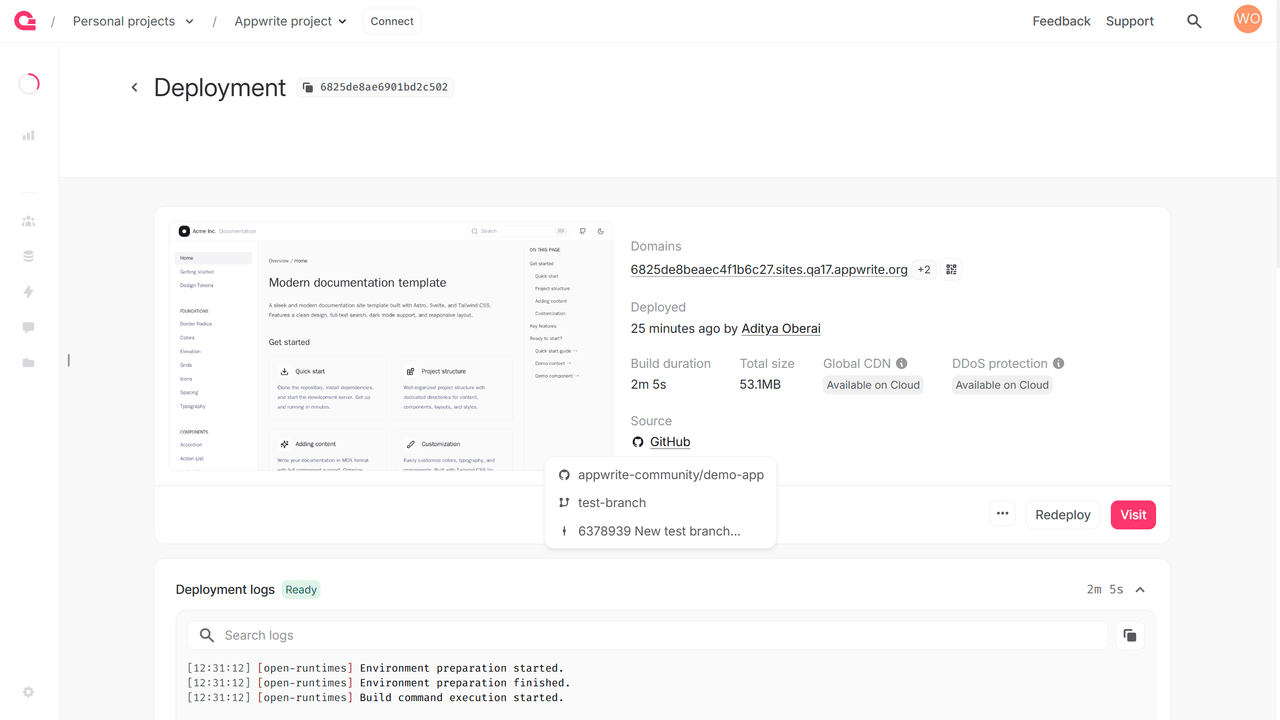
- Under the Deployments tab, click on a ready deployment.
- Click on the Visit button. This preview URL is also visible under the Domains section.
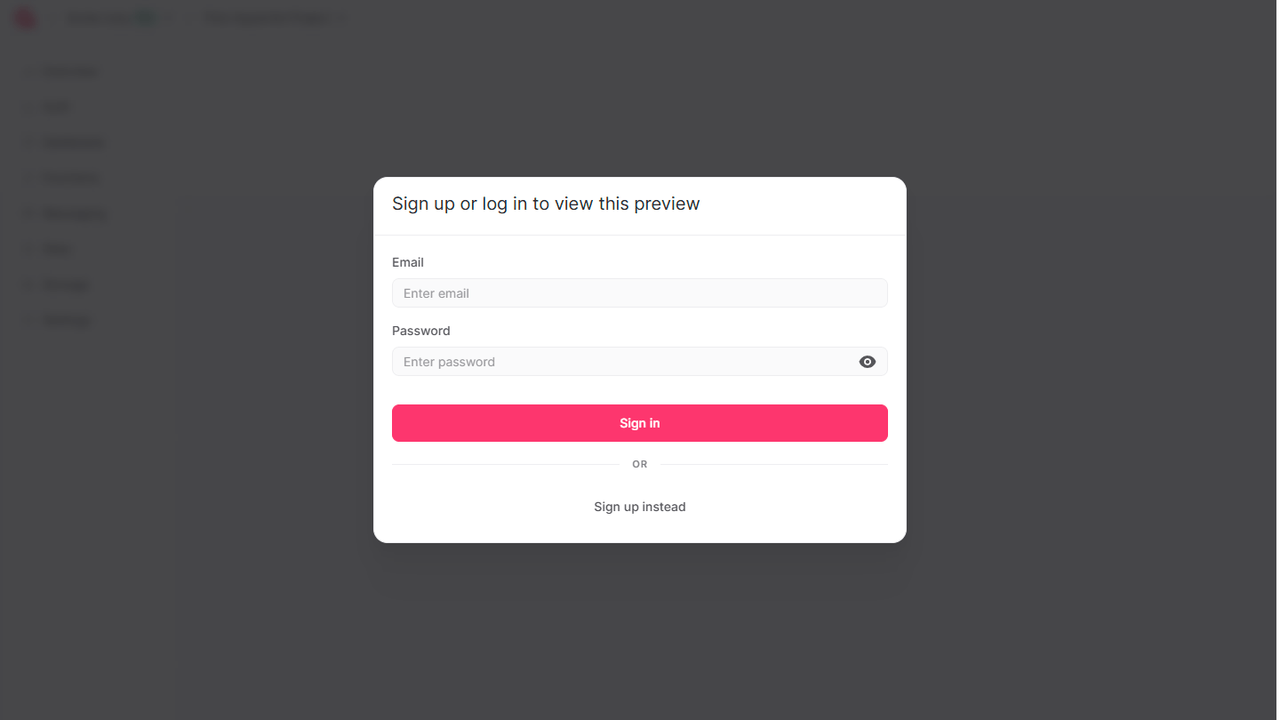
revenexx Storefronts will then verify whether you are authorized to access the revenexx project in which the storefront is deployed and allow you to access this preview accordingly.
Deployments for GitHub
Aside from the preview URL, revenexx also generates a URL for the branch and commit that your storefront has been deployed from. To access these URLs, you can head to the Deployments tab of your storefront, head to any active deployment created using the Git integration, and click on the +2 next to the mentioned domain in the Domains section.
You can also directly access the branch and commit that these deployments are created from, by clicking on GitHub under the Source section.